
Self-Serve Membership suspensions for Full Access and Aquatic Access and Active memberships
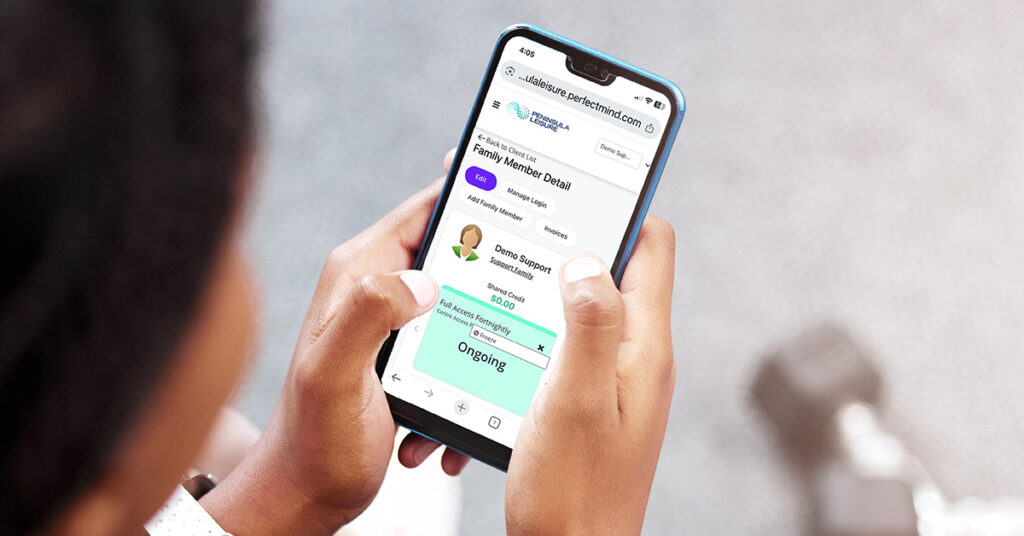
From Tuesday 11 November, Full Access and Aquatic Access members will be able to apply their own membership suspensions via our Customer Portal.
- Instant access: no need to fill in any forms
- Self-serve: no need to wait for manual intervention from our staff
- Immediate suspension: you can start your suspension immediately without waiting for processing time
- Manage your entire family: if you are the primary contact on your family account you can apply a suspension for any other member in your family account.
How do I suspend my membership myself?
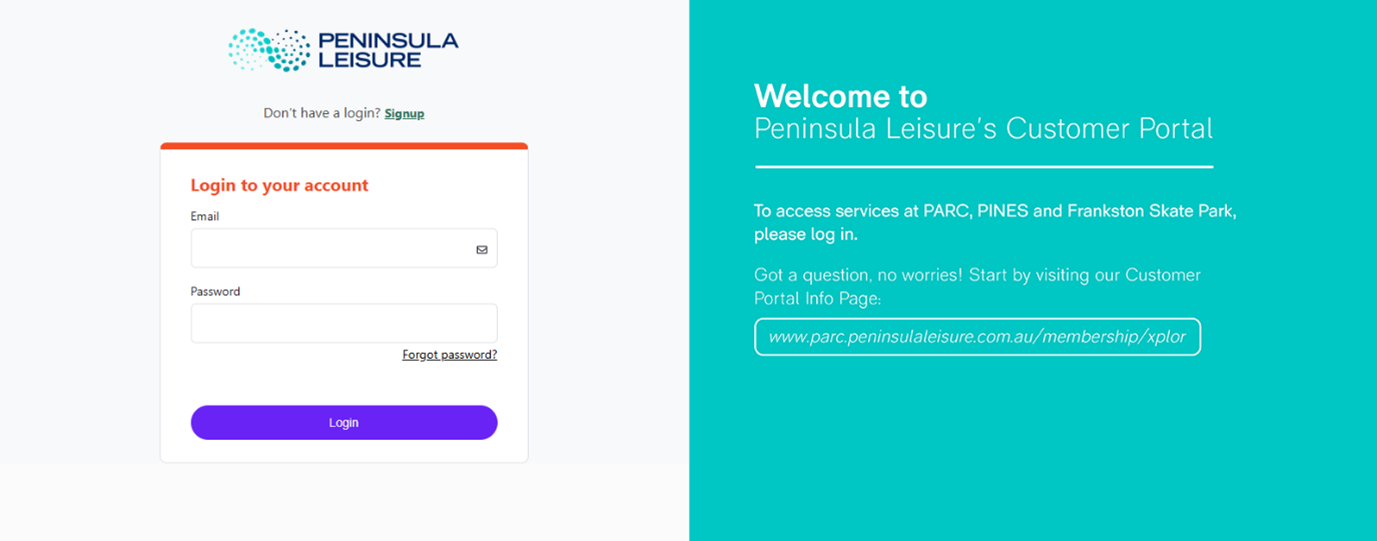
Self-serve Membership suspension is available via our Customer Portal: https://peninsulaleisure.perfectmind.com/
Log in with your email and password.
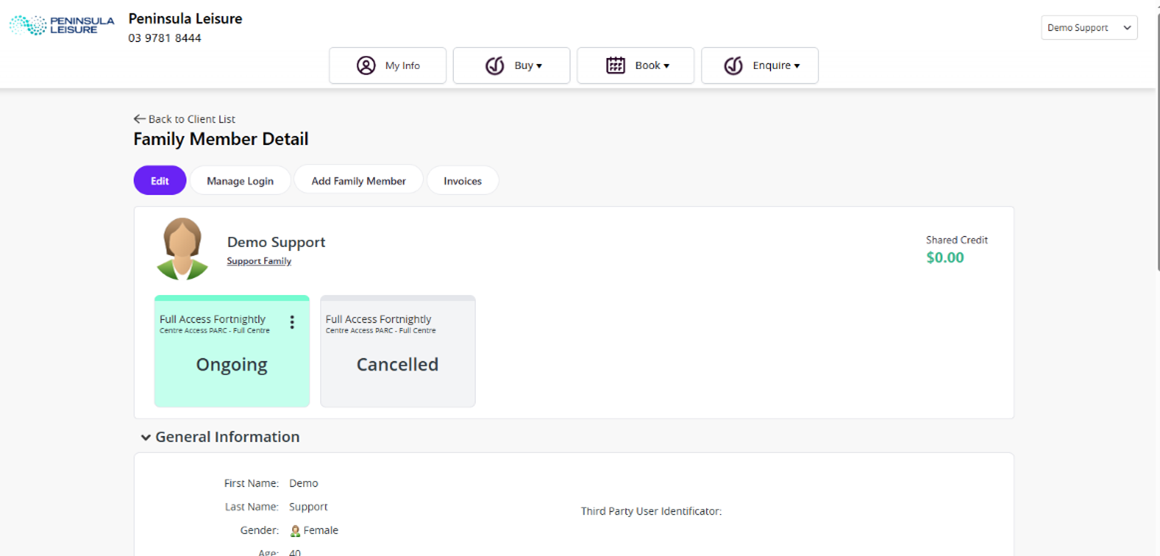
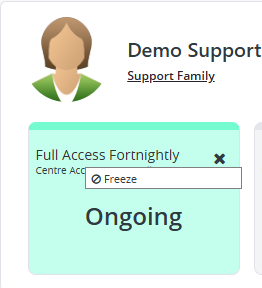
Go to your membership tile and click the 3 dots on the RIGHT hand side of the green box.
Click Freeze.
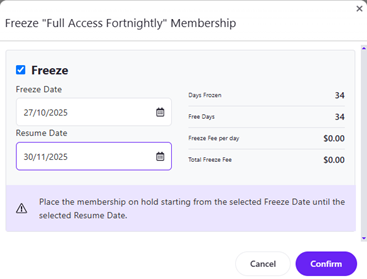
Select your dates. Select confirm.
For those members who prefer assistance, suspension requests are still able to be requested through the website here: https://parc.peninsulaleisure.com.au/membership/suspend-membership/
If you have suspended your membership and wish to alter your suspension, please complete the Suspension form on our website or contact our friendly team via email at member.experience@peninsulaleisure.com.au
Self-Serve Membership Suspensions FAQs
What’s new?
From Tuesday 11 November, Full Access and Aquatic Access members can now apply their own membership suspensions directly through our Customer Portal – no forms or waiting required!
How do I suspend my membership?
- Log in to the Customer Portal: https://peninsulaleisure.perfectmind.com/
- Go to your Membership tile and click the three vertical dots in the top right corner of the tile.
- Select Freeze to suspend your membership
- Select your dates
- Select confirm
What are the benefits of Self-Serve Suspension?
- Instant access – no need to fill out a form
- Self-serve control – no waiting for staff processing
- Immediate suspension – start your suspension right away, not waiting 3 days as you need to do via the website
Can I manage my family’s memberships too?
Yes! If you’re listed as the primary contact on your family account, you can apply a suspension for any member within your family group.
Can I suspend through the PARC app?
Not yet – self-serve suspensions are currently available only via the Customer Portal, not the app.
Can I change or end my suspension early?
Members are not able to alter an existing suspension once it has been applied.
If you have suspended your membership and wish to alter your suspension, please complete the Suspension form on our website or contact our friendly team via email at member.experience@peninsulaleisure.com.au
What happens to my payments when I suspend my membership?
If your suspension starts within your current fortnightly billing cycle, any part of the suspension which falls in this period will be credited back to your account as account credit. Our team will do our best to manually apply this credit to a future invoice, however we cannot guarantee this will be completed in every circumstance. You can view any existing account credit on your portal on your My Info page just above your membership tile. If you would like help applying your account credit to a future invoice, please see our friendly team in centre or call us for assistance.
Can I load more than one suspension at a time?
No – you can only have one active suspension at a time. Once the current suspension ends, you’ll be able to apply another if needed.
I have a fixed term membership, can I ?
Yes you can. Suspending a fixed term membership extends your expiry date by the length of time of your suspension.
Can I suspend just my Small Group Training membership but keep my Full Access membership active?
Yes you can.
You have the option to suspend your ongoing Personal Training or Small Group Training membership. Personal Training membership must be suspended for a minimum of one week at a time, in 1 week blocks. Small Group Training membership must be suspended for a minimum of two weeks at a time, in 1 week blocks, plus there is a maximum of 4 blocks per calendar year.
Go to your Small Group Training membership tile to apply your desired suspension dates.
I have a PARC Swim membership, can I suspend?
Make up classes are now available if you are unwell. Learn how to redeem your make up credit via this article.
I have run out of suspension days, what happens now?
All PARC memberships allow for a maximum of 100 days of suspension at no cost per year. Once you have exhausted your suspension allocation, you will not be able to suspend until your membership anniversary is reached.
Please note – Small Group Training memberships can suspend for 4 weeks per year.
I am on my mobile and I can’t see the calendar…
On the mobile view of the Customer Portal, your calendar view wont work. You will need to apply via a Desktop, or you can follow these steps.
Android Workaround
- Login: Enter your member credentials to access your account.
- Mobile View Initiate suspension process: Following the standard self-suspension procedure with mobile view Xplor system is not permitting date entry in the popup window.
- Enable Desktop Site: Tap the three-dot menu icon in the top right-hand corner
From the browser options menu, select “Desktop site” to enable desktop view - Complete the process:
Zoom in on the interface tiles for better visibility
Proceed with the freeze process
Select your desired freeze and resume dates
Safari Browser Workaround (iPhones)
- Step 1 and 2, they are both same as Andriod.
- Step 3: Tap on rectangle icon on to the bottom left corner of page to get more settings. Then Tap the three-dot menu icon in the bottom right-hand corner.
- Step 4: From the settings option’s menu, enable “Request Desktop Website”.
I need help, what do I do?
For those members who prefer assistance, suspension requests are still able to be requested through the website here: https://parc.peninsulaleisure.com.au/membership/suspend-membership/
If you have suspended your membership and wish to alter your suspension, please complete the Suspension form on our website or contact our friendly team via email at member.experience@peninsulaleisure.com.au